
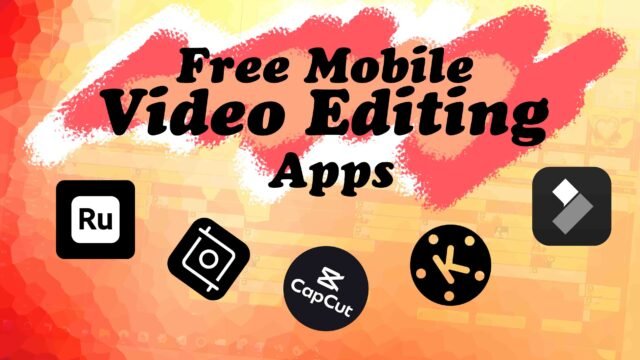
Whether you’re just getting started with video editing or you’re a content creator needing quick, reliable tools for social media, finding the right free mobile video editing app can be a game changer. You need something that’s fast, easy to use, and most importantly—free! Luckily, these five mobile-friendly video editing apps will help you create polished, professional-looking videos, whether you’re working on your next viral post or simply experimenting with editing for the first time.

Table of Contents
CapCut – A Must-Have Free Mobile Video Editing App
CapCut is a fantastic option for beginners looking for a simple but powerful free mobile video editing app. It’s incredibly popular for short-form video content, especially for TikTok and Instagram Reels. The app is loaded with features, including transitions, filters, and text options, along with advanced tools like background removal and automatic captioning. Its AI-powered tools make it easy to create polished content even if you’re new to editing.
- Why You’ll Love It:
- Super user-friendly interface.
- Perfect for social media creators.
- Offers features like AI-stabilization and auto-captions.
InShot – Quick and Free Mobile Video Editing App for Social Media
InShot is another highly-rated free video editing app that offers a great mix of simplicity and functionality. It’s perfect for users who want to quickly edit videos for social media without fussing over complex features. With its easy-to-use interface, you can trim, add effects, music, and text in just a few steps.
- Why You’ll Love It:
- Quick and easy free mobile video editing app.
- Customizes video sizes for different social platforms.
- Great for adding music and effects.
FilmoraGo – Creative Freedom in a Free Mobile Video Editing App
FilmoraGo is a great free video editing app for beginners who want more editing power but still need simplicity. With built-in templates, transitions, and effects, it’s a good choice for those creating videos for social media, vlogs, or even casual projects. It allows for fast, smooth edits and offers export options without watermarks in its free version.
- Why You’ll Love It:
- Easy for beginners with drag-and-drop functionality.
- Lots of creative templates and transitions.
- Export videos without watermarks in the free version.
KineMaster – Advanced Yet Free
KineMaster is a favorite among mobile content creators who need more editing control. Though more feature-rich than some other beginner apps, its intuitive interface makes advanced editing functions accessible even for newcomers. As a free mobile video editing app, it offers multi-layer editing, allowing you to work with videos, images, and text simultaneously, giving your projects a more professional look.
- Why You’ll Love It:
- Multi-layer editing allows for complex projects.
- Lots of visual and audio effects to choose from.
- Simple enough for beginners, powerful enough for advanced users.
Adobe Premiere Rush – Trusted Brand
For beginners who want to stick with a trusted brand, Adobe Premiere Rush is a top pick among free video editing apps. It’s designed for quick edits on mobile, and you can easily transition projects to Adobe Premiere Pro if you need more advanced tools down the line. The app has a streamlined interface that’s easy to navigate and includes features like drag-and-drop editing, color correction, and audio tools.
- Why You’ll Love It:
- Cross-platform syncing with Adobe tools.
- Easy drag-and-drop interface.
- Great for quick edits and YouTube videos.
Conclusion
Whether you’re making content for social media or editing a quick vlog, these free video editing apps are perfect for beginners. They offer a blend of simplicity, creativity, and the power to get the job done—all without the price tag. Try them out and see which one fits your style!
Have a favorite app you swear by? Drop it in the comments, and let’s chat about what works for you! 🎬✨
Meanwhile, do not forget to SUBSCRIBE to our YouTube channel if you haven’t. And we have an interesting post – Essential Guide to Choosing the Right Camera for Your Budget. Stay tuned!
2 thoughts on “5 Popular Free Mobile Video Editing App You Should Consider”